One agent at a time is rarely the shape of the work anymore. A room is a canvas for a whole demand: you launch agents into it, Claude Code and Codex side by side, group them by area, and answer the ones that need you from wherever you are.
What a room is
A room holds the agents that work one demand in parallel. Instead of juggling separate conversations, you see all of them on one canvas.
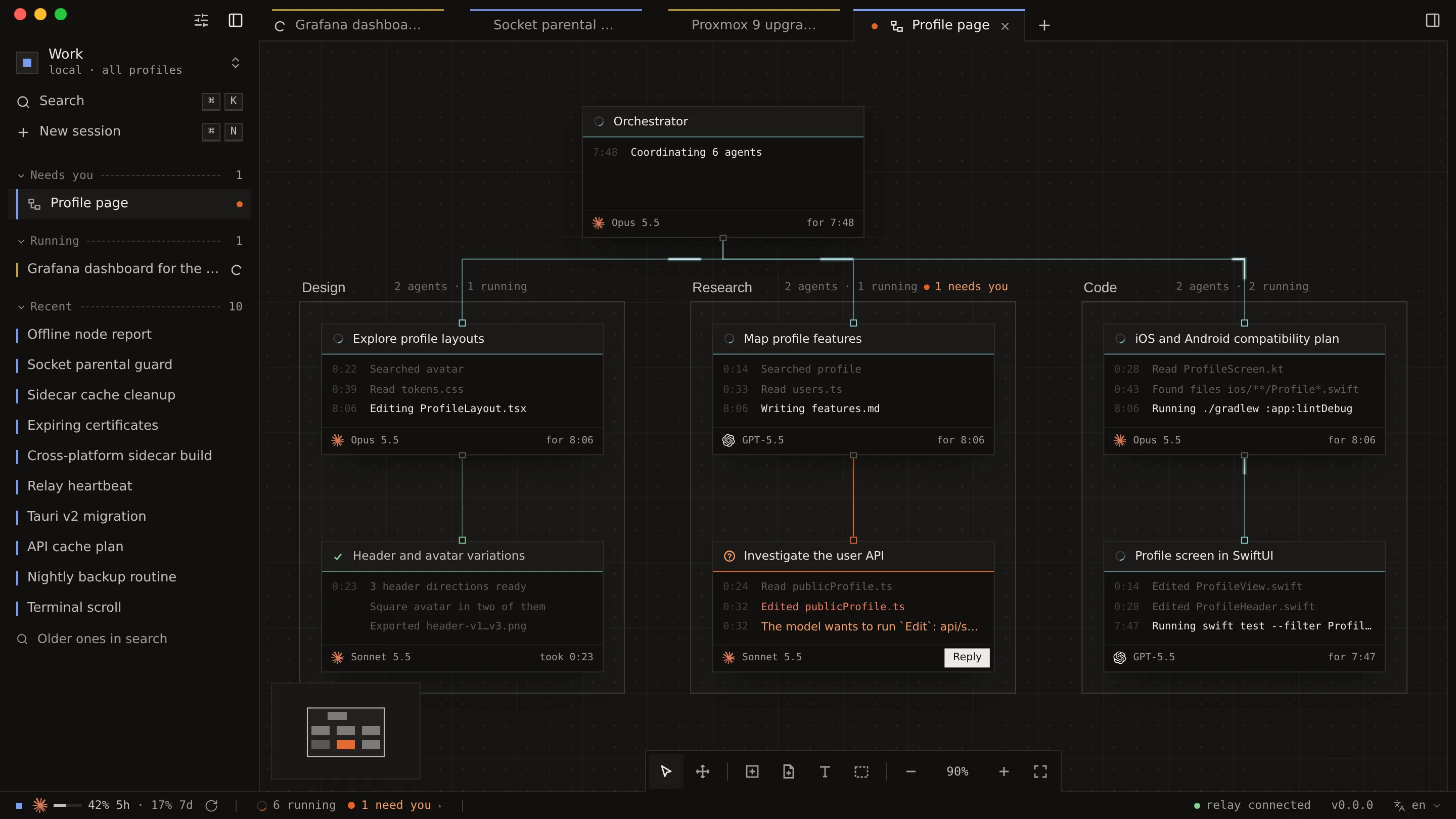
- Areas. Group agents by the kind of work, like Design, Research and Code in the screenshot above.
- Shared context. Attach context to the room: every agent in it reads it, and every new agent inherits it.
- Live cards. Each card shows what its agent is doing right now, and the agents that need you say so.
- A worktree each. Each agent can work on its own git worktree, which is kept until its work is integrated.
Keep going while the relay restarts
The agents of a room run in a host service of their own, anywh-agent-host@<profile>, next to the relay. They keep working across a relay restart, so updating or restarting the relay does not cut a room short.
Answering an agent from your phone is the same gesture as from your desk.
Also in 0.2
- Codex, next to Claude Code. A session can pick Codex, with its own permission modes, and the model picker shows each CLI’s own model names.
- Reasoning effort is a choice in the composer.
- Background agents and processes show up in the status bar.
- A terminal panel that behaves like a terminal emulator.
Upgrade to 0.2
Three things to do, in this order.
- Update the relay and the app together. The connection protocol between them changed, and each side now refuses the other instead of misreading it. The in-app updater only updates the app, so update the relay too.
- Check the agent host. The installer sets up
anywh-agent-host@<profile>for each profile. If you manage the systemd units yourself, enable it withsystemctl --user enable --now anywh-agent-host@<profile>. Without it, ordinary chats keep working and rooms don’t. - Keep a copy of your sessions. The 0.2 relay rewrites
sessions.jsoninto its new shape the first time it loads it, with no way back. To downgrade, restore a copy taken before upgrading.
To update the relay on the machine where it runs:
# Linux
curl -fsSL https://anywh.sh/install | sh -s -- --relay-only
# macOS
brew upgrade anywh-relay
WARNING
On macOS, rooms are not available yet. The Homebrew relay doesn’t ship an agent host, so it doesn’t connect to one. Ordinary chats work as before.
Every detail, including development builds, is in the upgrade notes for 0.2.